
Authenticating With Postman
This page overviews an example set of steps for connecting Abrigo's open REST API to your institution's Postman instance.
In your Postman workspace, import the collection for the environment you're connecting.
- Production: https://api.sageworks.com/swagger/SageworksApi/swagger.json
- UAT: https://uatapi.sageworks.com/swagger/SageworksApi/swagger.json
- Sandbox: https://sandboxapi.sageworks.com/swagger/SageworksApi/swagger.json
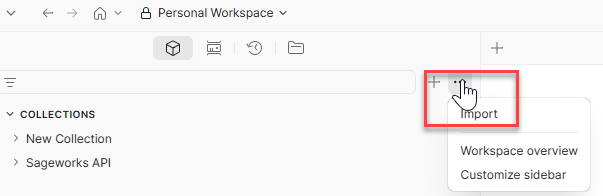
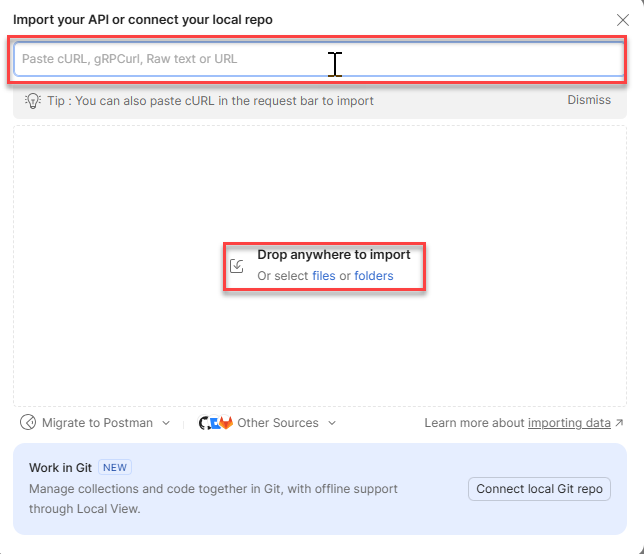
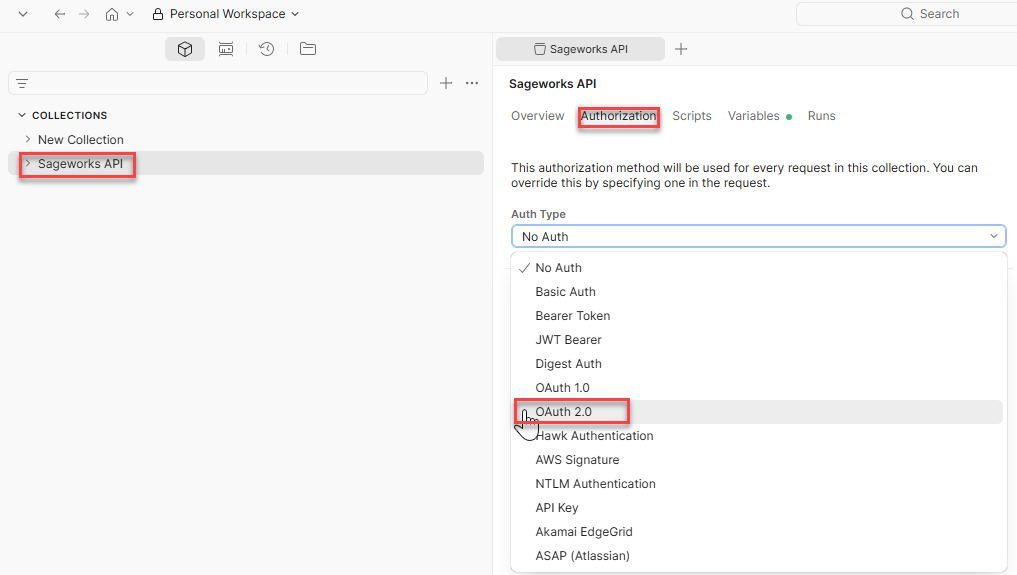
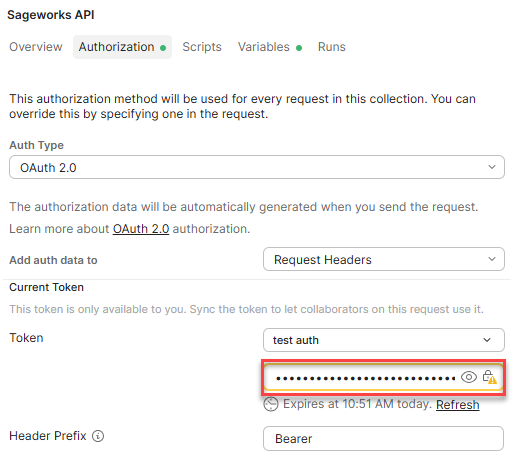
When the collection imports, click in the left hand navigation panel and select the "Authorization" header. Change the Auth Type dropdown to OAuth 2.0.
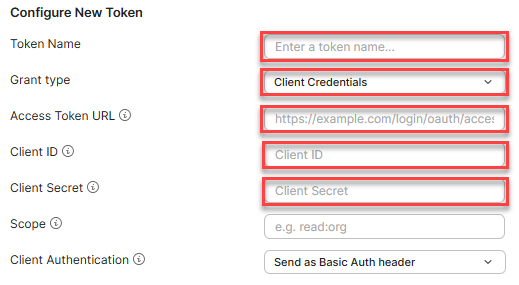
To generate a token, enter the following fields:
- Token Name = Descriptive name for your use-case to reference internally.
- Grant Type = Client Credentials
- Access Token URL = The access URL of the environment being connected
- Client ID = The unique Client ID generated when creating credentials in Abrigo.
- Client Secret = The unique secret key generated when creating credentials in Abrigo.
Once entered, get/generate an Access Token at the bottom. The token will be generated and saved in this collection to facilitate the connection between Postman and Abrigo for this use-case.
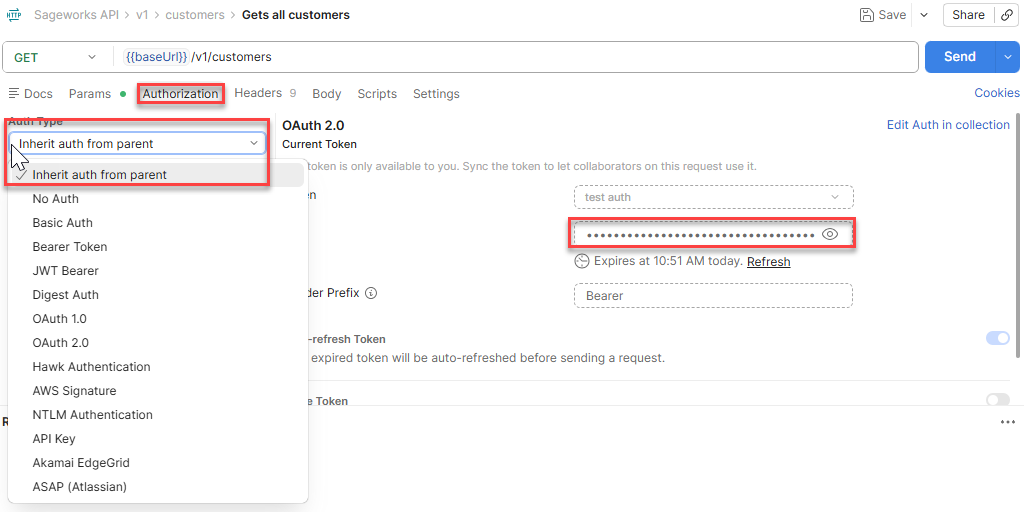
When authenticating endpoints, it is recommended to update the Authorization to Inherit auth from parent. This setting ensures the token generated in the collection persists to successfully leverage endpoints. This setting must be changed for every endpoint used in this use-case.
Updated 4 months ago